







Creating a productive home workspace is essential for anyone working remotely or spending significant time on tasks at home. A well-designed workspace can improve focus, reduce stress, and increase efficiency. Whether you have a dedicated room or a small corner, this guide will help you craft an environment that encourages productivity and supports your well-being.
Choose the Right Location
Finding the right spot in your home is the first step. Ideally, select a quiet area with minimal distractions. If possible, use a separate room to establish clear boundaries between work and relaxation. If a separate room isn’t feasible, designate a specific corner or nook that can be devoted solely to work.
Consider natural light when choosing your location. Sunlight boosts mood and alertness, so positioning your desk near a window can be beneficial. However, make sure to control glare on your screen with blinds or curtains to avoid strain on your eyes.
Invest in Comfortable and Functional Furniture
Your comfort is key to maintaining productivity over long periods. Invest in an ergonomic chair that supports your back and encourages good posture. A desk at the right height will prevent strain on your wrists and shoulders.
If possible, choose a desk with enough surface area to accommodate your computer, paperwork, and other essentials without feeling cluttered. Consider adjustable desks that allow you to alternate between sitting and standing throughout the day.
Keep It Organised and Clutter-Free
A tidy workspace promotes mental clarity. Use storage solutions such as shelves, drawers, and organisers to keep your equipment and documents in order. Set aside time daily to clear your desk, which can help reduce distractions and keep you focused.
Label containers or folders to help you quickly find what you need. Use cable organisers to manage wires and keep your space neat.
Personalise Your Workspace Thoughtfully
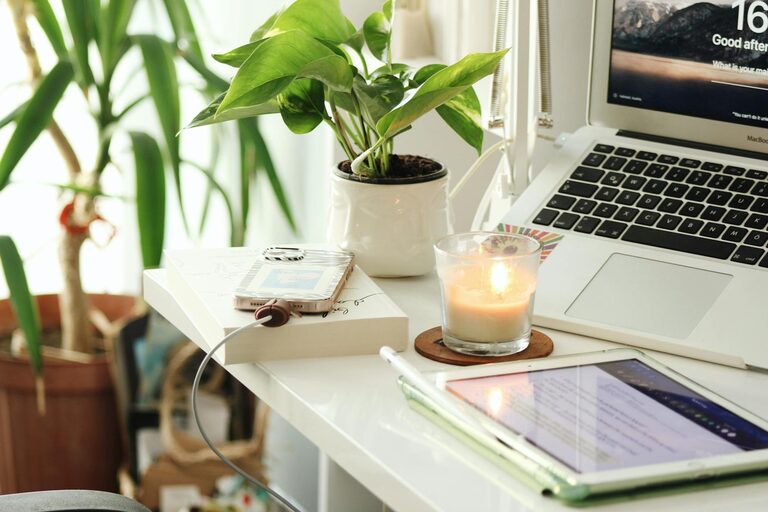
Adding personal touches can make your workspace more inviting and motivating. Consider including plants, artwork, or photos that inspire you. However, avoid over-decorating as too many items can create distractions and visual clutter.
Even small elements, such as a colourful mouse pad or a favourite mug, can brighten your workspace without overwhelming the area.
Optimise Lighting and Screen Setup
Adequate lighting is crucial to prevent eye strain and maintain alertness. Combine natural and artificial light sources to create balanced illumination. Use a desk lamp with adjustable brightness and positioning for focused tasks.
Position your computer screen at eye level and about an arm’s length away to reduce neck and eye discomfort. Adjust screen brightness and contrast to suit the ambient light, and consider using blue light filters, especially during evening hours.
Minimise Distractions
Identify common distractions in your home environment and find ways to reduce them. Use noise-cancelling headphones or background music to block out household noise. Communicate with family members or housemates about your work schedule to minimise interruptions.
Turn off non-essential notifications on your phone or computer during work hours to maintain concentration.
Establish a Routine and Set Boundaries
A designated workspace helps signal to your brain that it’s time to focus. Complement this with a consistent daily routine. Set clear working hours, take regular breaks away from your desk, and follow a structured schedule.
Maintain boundaries between work and personal life by avoiding tasks unrelated to work in your workspace. When the workday ends, tidy your space to create a clean slate for the next day.
Use Technology Wisely
Equip your workspace with the necessary technology to work efficiently. Fast and reliable internet is essential for most home working scenarios. Keep software and devices up to date to avoid technical issues.
Organise digital files clearly and use productivity tools, such as calendars, task managers, and collaboration platforms, to stay on top of your responsibilities.
Prioritise Comfort and Wellbeing
Working from home offers flexibility but can blur lines between work and rest. Pay attention to your physical and mental wellbeing by integrating short stretching exercises throughout the day. Maintain good posture and consider installing a footrest if needed.
Remember to hydrate and take breaks to avoid burnout. Creating a workspace that supports your health is just as important as organising it for productivity.
—
By thoughtfully setting up your home workspace with these tips, you’ll create an environment that encourages focus, reduces stress, and helps you perform at your best. Whether your space is large or small, simple adjustments can make a significant difference in your daily work life.